
How to Promote Your Business on Google for Free
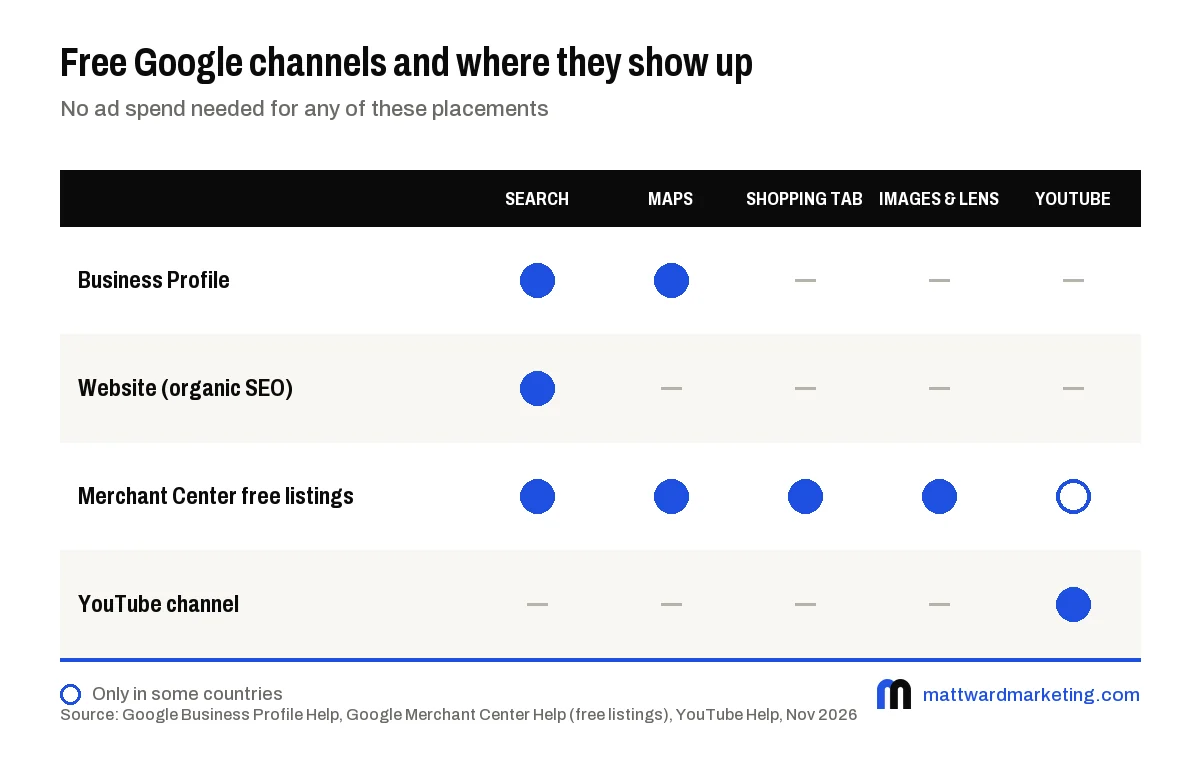
If you want to know how to promote your business on Google for free, start with a Google Business Profile, then add your website to Google Search, list your products in free listings and publish videos on YouTube. None of these four channels charges you to appear.
This guide explains each free channel step by step, what it can and cannot do, and when it makes sense to pay for Google Ads instead. Every rule and figure comes from Google’s own help pages, listed in the Sources section.
Key takeaways
- A Google Business Profile costs nothing. Google says you can “add or claim your business at no charge.”
- You cannot pay for a better position. Google states that “there’s no way to request or pay for a better local ranking.”
- Local results depend mainly on relevance, distance and how well known your business is, so complete details and reviews matter.
- If you sell products, Merchant Center free listings can show them on Search, the Shopping tab, Images, Lens, Maps and YouTube at no cost.
- Google Ads is the paid option. You set your own budget and, with cost per click bidding, you pay only when someone clicks.
Free Ways to Promote Your Business on Google: The Full List
Google offers several places where a business can appear without paying. Each one fits a different type of business. A café needs Maps far more than Shopping, while an online store needs the opposite.
| Channel | Cost | Best for | Where you appear |
|---|---|---|---|
| Google Business Profile | Free | Local shops, restaurants, service providers | Google Search and Google Maps |
| Organic search (SEO) | Free to appear; your time or an agency’s fee | Any business with a website | Google Search results |
| Merchant Center free listings | Free | Retailers and online stores | Shopping tab, Search, Images, Lens, Maps, YouTube |
| YouTube channel | Free | Businesses that can teach or show their product | YouTube and video results in Search |
| Google Analytics | Free | Measuring which channel brings customers | Not a visibility channel |
| Google Ads | Paid, budget set by you | Fast results for chosen searches | Ad slots in Search, Maps, YouTube and more |
Create and Verify Your Google Business Profile
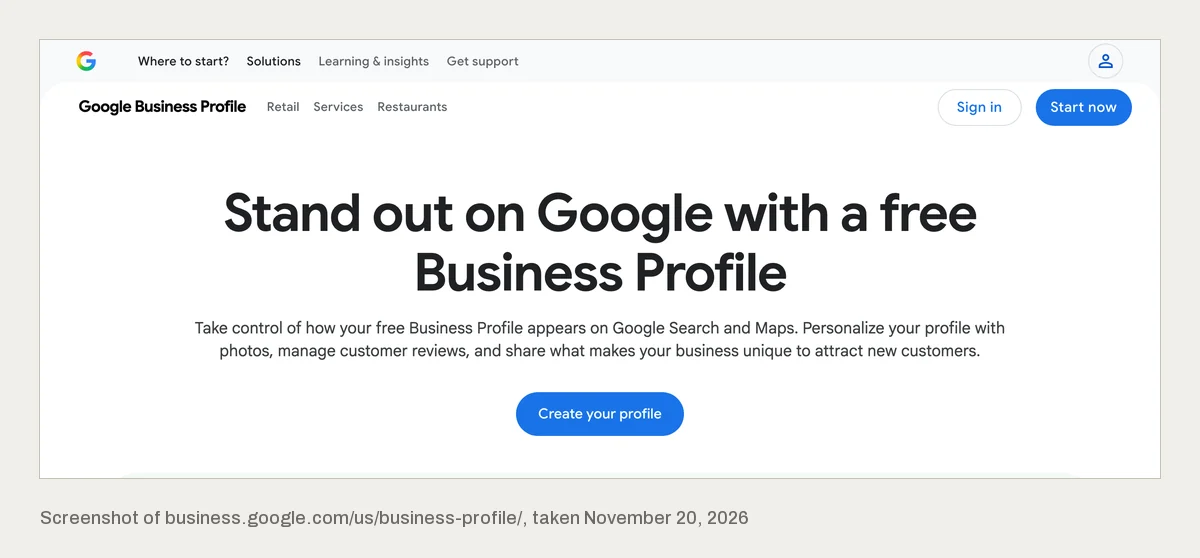
A Google Business Profile is the free listing that shows your business name, hours, phone number, photos and reviews on Google Search and Google Maps. For a local business, it is the most direct answer to how to promote your business on Google, because it puts you in front of people searching nearby.
How to add your business
- Sign in to a Google Account. Use one tied to your business email if you can.
- Open the Google Business Profile sign up page and select “Add your business to Google.”
- Enter your business name and choose the category that best describes what you do.
- Say whether customers can visit you. Shops enter a street address. Businesses that travel to customers, such as plumbers, enter a service area instead.
- Add your phone number and website.
- Choose a verification option and complete it.
If your business already appears on Google Maps, you do not need a new profile. Search for it in Maps, select “Claim this business” and follow the steps to manage it.
How verification works
Google picks the verification method for you. It can be a phone call or text, an email, a live video call or a postcard sent by mail. You cannot switch to a different method, so use the one offered. The Google Business Profile verification guide explains each option, and postcard codes usually arrive within 14 days. Your profile only starts showing edits and accepting review replies after verification.
Optimize Your Business Profile for Google Maps and the Local Pack
Creating the profile is the first step. Ranking it is the second. Google says local results are “mainly based on relevance, distance, and popularity.” Distance depends on where the searcher is, so you cannot change it. The other two you can improve.
Complete every field
Relevance is how well your profile matches the search. Fill in your category, services, products if you are an eligible retailer, business description, attributes and hours. Keep special hours updated for holidays, because wrong hours send customers to a closed door.
Add photos and posts
Google encourages businesses to show their work with photos and videos. You can also publish Google Business Profile posts directly on your profile:
- Updates share news about your business.
- Offers promote sales or discounts.
- Events promote something happening at your location.
Posts older than six months are archived unless they have a date range, so a monthly post keeps the profile current.
Ask for reviews and reply to them
More reviews and positive ratings can help your local ranking. Ask happy customers for a review after a sale or visit, and reply to Google reviews every time, good or bad. The reviewer gets a notification when you reply.
Do not pay for reviews or offer discounts in exchange for them. The Google fake reviews policy treats paid or incentivized reviews as fake engagement and removes them from Maps. Businesses are also not allowed to discourage negative reviews.
Get Your Website Ranking in Google Search
Organic search results are free to appear in. Google is clear on this point: it “doesn’t accept payment to crawl a site more frequently, or rank it higher.” What it takes is a website that answers what your customers search for. See our SEO guides for the full process.
Connect your site to Search Console
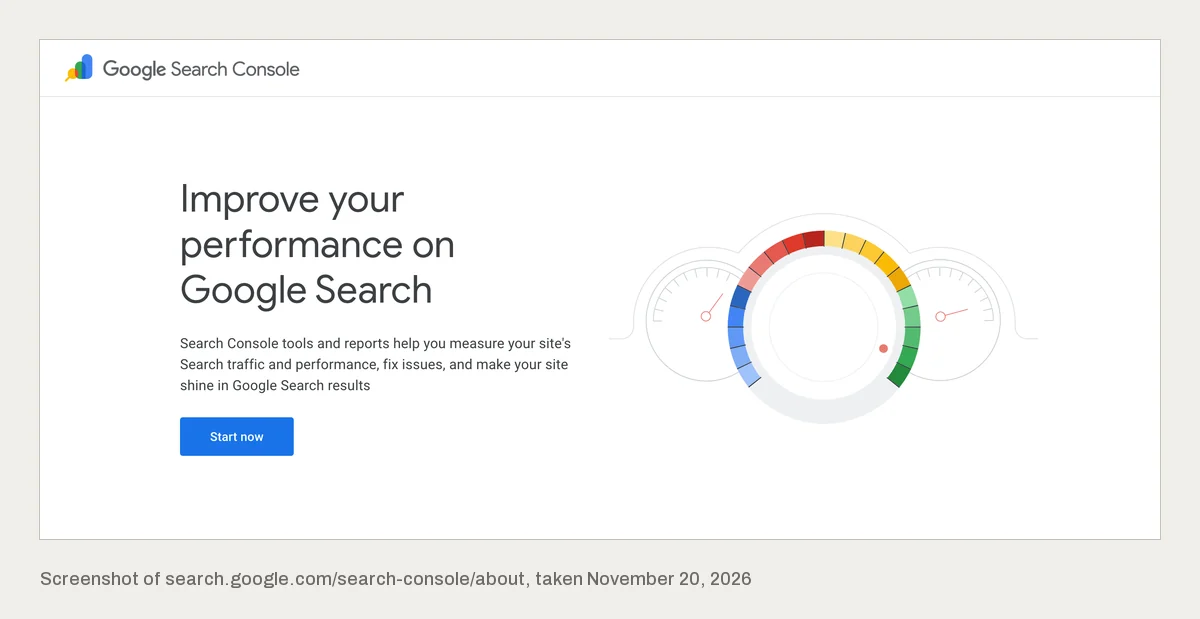
Google Search Console is Google’s tool for site owners. It lets you submit sitemaps and individual URLs, and its URL Inspection tool shows whether a page is indexed. Verifying your site in Search Console can also speed up Business Profile verification, because Google accepts it as proof that you own the website.
Submit a sitemap
A sitemap is a file that lists the pages you want Google to find. Most website builders and SEO plugins create one for you. Submit it in the Sitemaps report of Search Console, or add a line such as Sitemap: https://example.com/sitemap.xml to your robots.txt file. Google’s guide to build and submit a sitemap treats it as a hint, so it helps discovery but does not guarantee indexing.
Write pages for the searches your customers make
Create one page per service and, for local businesses, mention the area you serve. Use the words customers type, such as “emergency plumber in Austin,” in the page title and the first heading. Then answer the questions people ask before they buy: price ranges, how long the job takes and what is included.
List Your Products Free on Google Shopping
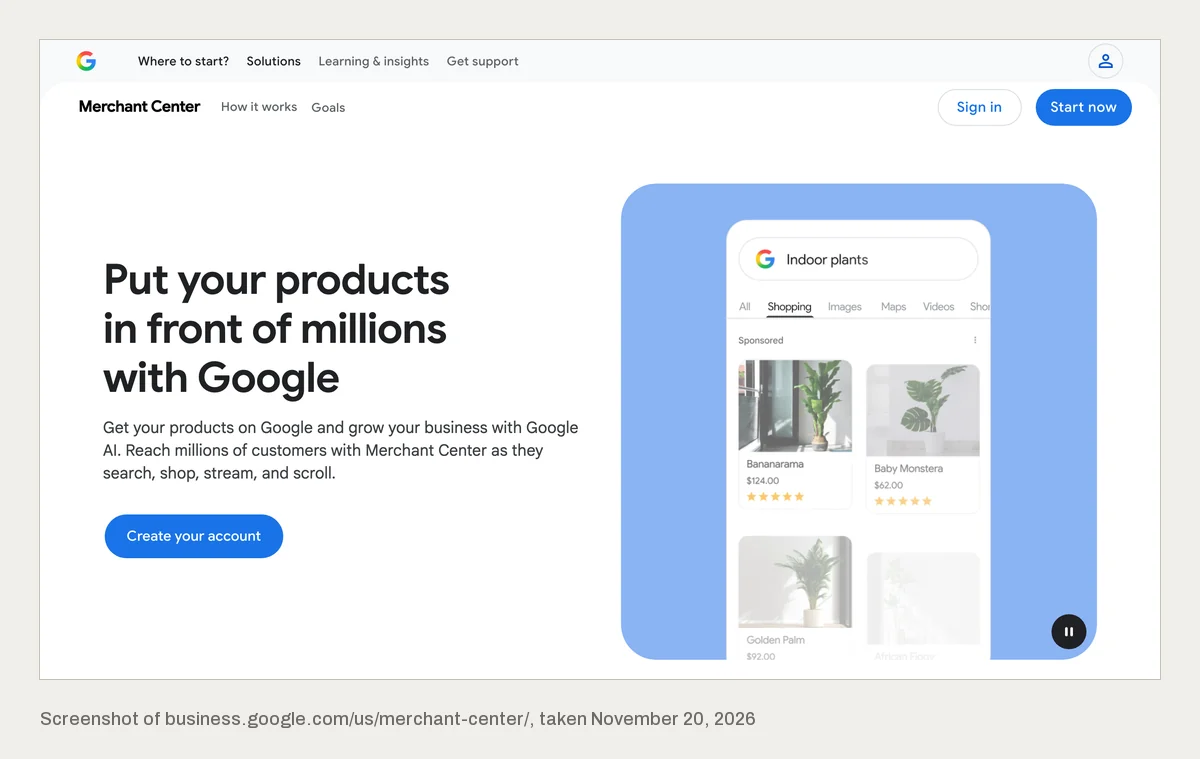
If you sell physical products, Google Merchant Center lets you upload a product feed and show those products without paying for ads. Google Merchant Center free listings bring organic traffic, with no cost per click. They can appear on Google Search, the Shopping tab, Google Images, Google Lens, Google Maps and Gemini, and in some countries on YouTube.
- Create a Merchant Center account with the same Google Account you use for your business.
- Verify and claim your website.
- Add your products, by hand, with a spreadsheet or through an integration with your store platform.
- Check the free listings setting. It is turned on by default for most accounts.
Keep the prices and stock in your feed the same as on your website, so shoppers find what the listing promised.
Publish Videos on YouTube
YouTube is owned by Google, and a channel costs nothing. To upload videos you need a channel. You can create a YouTube channel for your business with your business name from your Google Account settings.
Good video topics for a small business are simple. Show how your product works, answer the five questions customers ask most, film a short tour of your shop or explain a before and after job. Put the main search phrase in the video title and write a description of a few lines that says what the viewer will learn. Add a link to your website in the description so viewers can take the next step.
Track Results With Google Analytics
Promotion only pays off when you know what works. Google Analytics is free to use. Install it on your website to see how many visitors come from Google Search, Maps, YouTube or free listings, and which of them buy or contact you.
Other Ways to Promote Your Business Beyond Google
Google is one channel among many. Here is what each of the other common options does, whether it costs money and when it fits. Use them alongside your Google presence, not instead of it.
Facebook ads
Facebook ads are paid ads you create in Meta Ads Manager. You choose the audience by location, age and interests, set a budget and the ads appear in people’s feeds. They suit businesses that can show their product with a photo or short video and want to reach people who are not searching yet. A Facebook Page for your business is free; the ads are not.
Pay per click (PPC)
Pay per click means you pay each time someone clicks your ad. Google Ads is the best known PPC platform, and Microsoft Advertising does the same on Bing. PPC works best for searches with clear buying intent, such as “roof repair near me.” Set a daily budget and track which keywords bring calls or sales before you spend more.
Search engine optimization (SEO)
SEO is the work of making your website appear in unpaid search results. It costs no ad money, but it takes time, or an agency’s fee. The Google Search section above covers the steps: Search Console, a sitemap and one page per service.
Instagram is a free, visual network. A business can post photos, short videos called Reels and Stories, and paid Instagram ads run through the same Meta Ads Manager as Facebook. It fits businesses with something to show: food, fashion, beauty, design, fitness or travel. Post regularly and reply to comments and messages.
Twitter (X) advertising
Twitter is now called X. You can post from a business account for free, or buy promoted posts through X Ads. It works for news, tech, media and brands that join daily conversations. For a local shop it is usually a weaker fit than a Business Profile or Instagram.
YouTube videos
YouTube is covered above. A channel is free, and a useful how-to video can keep bringing views months after you publish it. If you want faster reach, YouTube also sells video ads through Google Ads.
Banner ads
Banner ads, also called display ads, are image ads shown on websites and apps. You can buy them through the Google Display Network inside Google Ads or directly from a website your customers read. They are good for reminding past visitors about your brand and weak for getting a first sale, so most businesses use them for retargeting.
Solo ads
A solo ad is a paid email that another person sends to their own mailing list, promoting only your offer. You pay the list owner a fee agreed in advance. Quality varies a lot, because you cannot see the list. Test with a small order and check whether the visitors buy or sign up before you repeat it.
Email marketing
Email marketing means sending news, offers and tips to people who chose to join your list. The list belongs to you, so no platform can change its rules and cut your reach. Collect emails with a sign up form on your website or at checkout, and send only to people who agreed to receive messages.
When Paying for Google Ads Makes Sense
The free channels take weeks or months to build. Google Ads is the paid option when you need visibility now, for a launch, a seasonal offer or a highly competitive local search.
- You control the budget. You decide how much you spend, and the Google Ads campaign budget works on a daily basis.
- You pay per click. With cost per click bidding, you pay for each click on your ad, not for each time it is shown.
- You can start from Maps. Verified businesses can advertise their business on Google Maps from the Maps app, with a daily budget that Google recommends and you can change. Service area businesses are not eligible for this option.
Nonprofits have one more route. Through Google Ad Grants for nonprofits, eligible charities can receive $10,000 of in-kind search advertising every month. Under the Google for Nonprofits eligibility rules, government entities, hospitals and schools are excluded, and the program is not open to for-profit businesses.
How to Promote Your Business on Google: FAQ
Is there a way to advertise my business for free on Google?
Yes. A Google Business Profile, organic search results, Merchant Center free listings and a YouTube channel all let your business appear on Google without paying. Only Google Ads and other ad formats cost money.
How much does it cost to promote my business on Google?
The free channels cost nothing to use, only your time. Google Ads has no fixed price: you set a daily budget and, with cost per click bidding, pay when someone clicks your ad.
Can I pay Google to rank higher on Maps or in search results?
No. Google says there is no way to pay for a better local ranking, and it does not accept payment to rank pages higher in organic results. Paid placement is only available through ads.
What is the Google grant of $10,000?
It is Google Ad Grants, a program that gives eligible nonprofit organizations $10,000 of in-kind search advertising per month. Businesses, government bodies, hospitals and schools cannot apply.
How long does it take to get a Google Business Profile verified?
It depends on the method Google assigns: phone or text, email, a live video call or a postcard. Google says most postcard codes arrive within 14 days.
Sources
- Google Business Profile Help, “Add or claim your Business Profile on Google”: https://support.google.com/business/answer/2911778?hl=en
- Google Business Profile Help, “Tips to improve your local ranking on Google”: https://support.google.com/business/answer/7091?hl=en
- Google Search Central, “In-depth guide to how Google Search works”: https://developers.google.com/search/docs/fundamentals/how-search-works